Price Peek
2026 Every price on a page, in your own currency Live on the Chrome Web Store
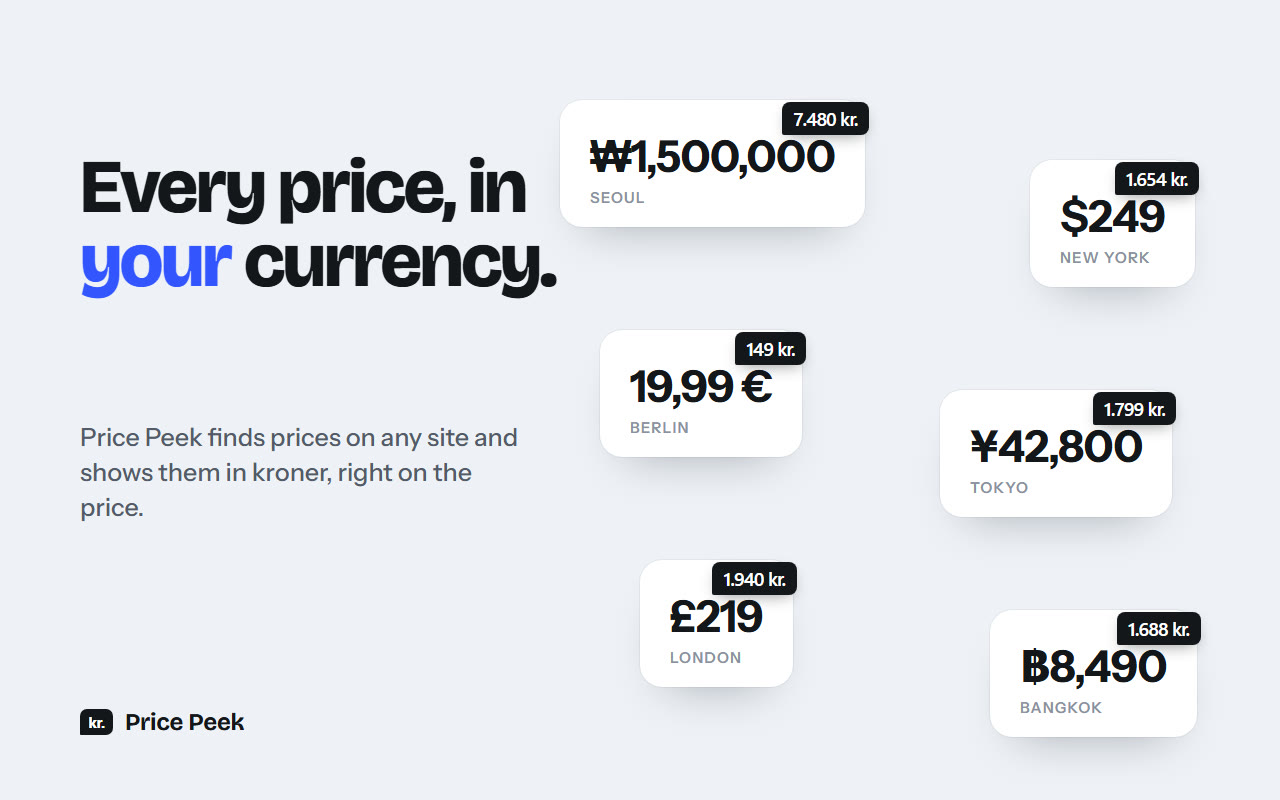
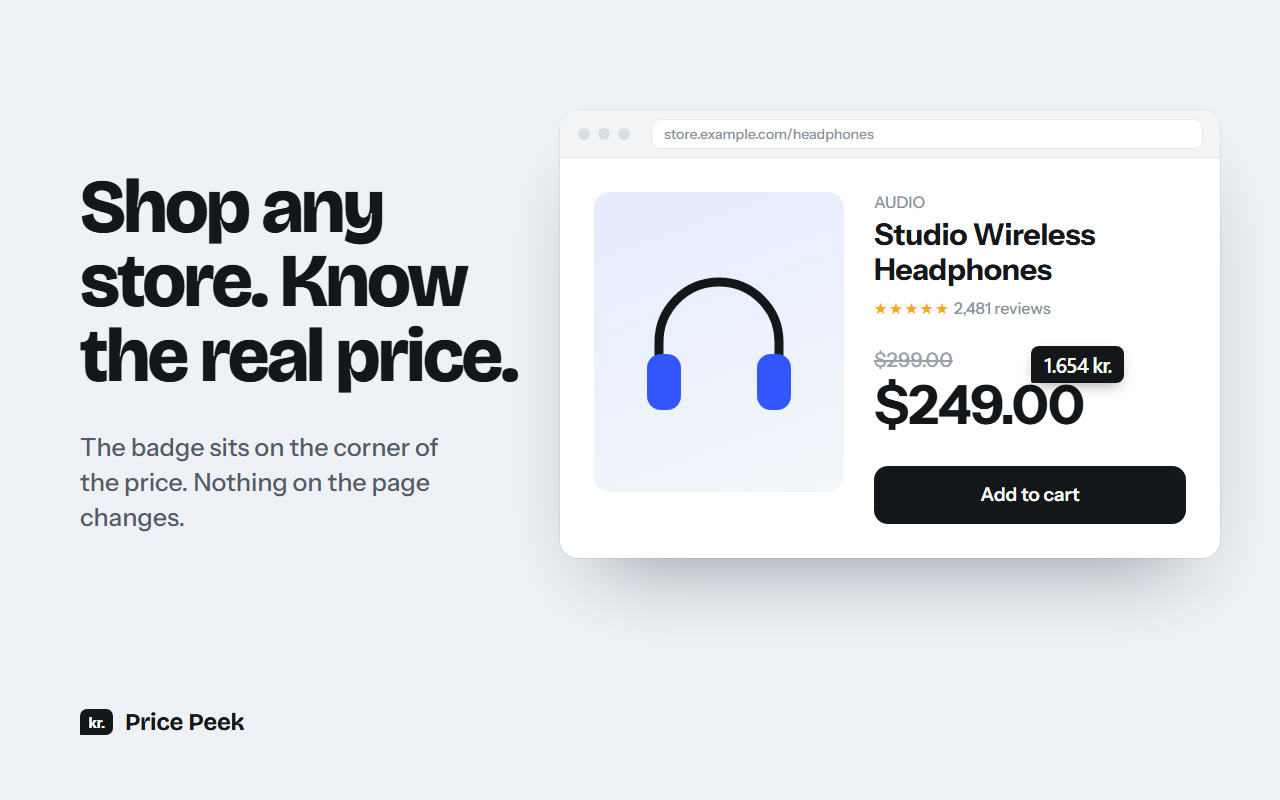
A Chrome extension that finds prices on any web page and shows the amount in your own currency (Danish kroner by default) as a small dark badge on the price's corner. It never changes the page itself.
Why I made it
I am planning an exchange semester in Korea, so I have been looking at a lot of Korean prices to put a budget together: housing, groceries and everyday costs. Every price meant copying it, searching "xx KRW to DKK" on Google, waiting and reading the result. Only a few seconds each time, but doing it constantly gets tiring.
Housing was the worst. I would fall for a place from the photos, open the listing, and only then find out it was over budget. With the price in kroner right on the listing, I can see that before clicking at all.
What it does
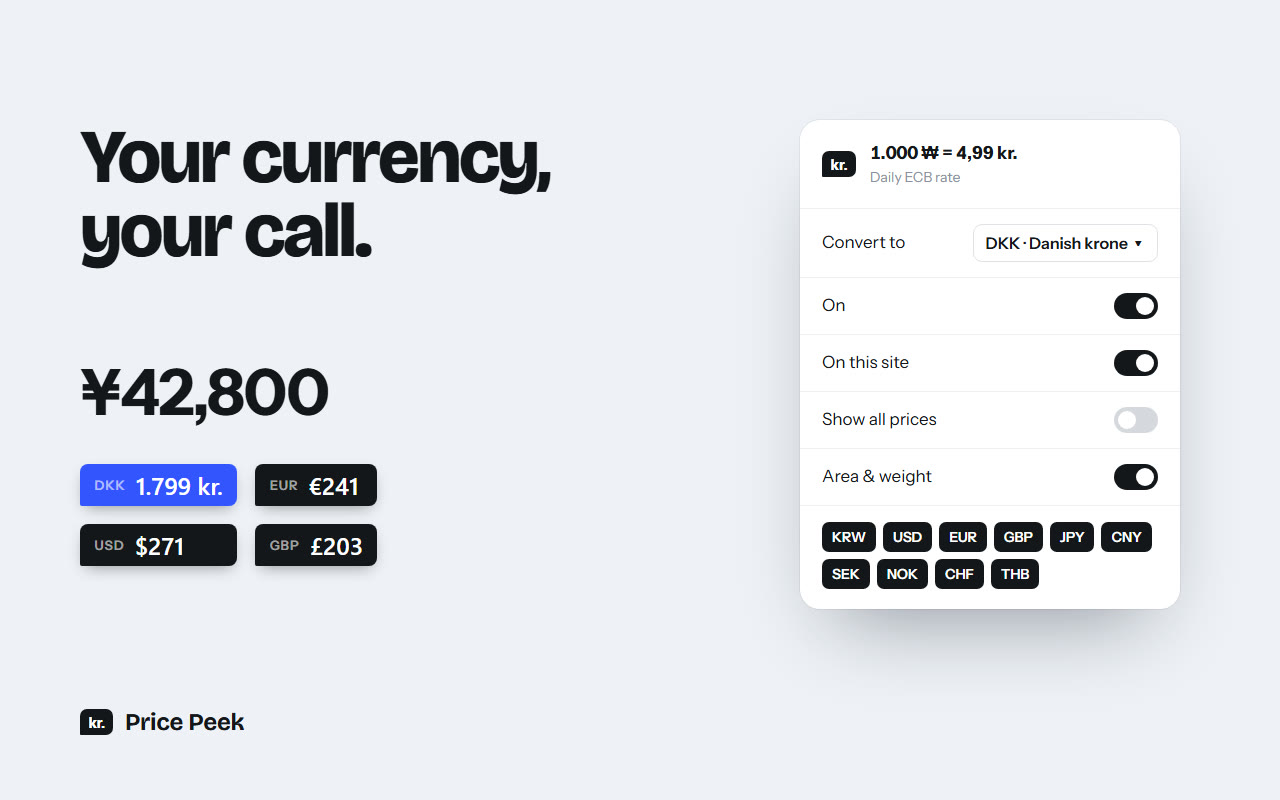
- Detects prices in 11 currencies (Korean won, US dollar, euro, British pound, Japanese yen, Chinese yuan, Swedish and Norwegian krone, Swiss franc, Thai baht and Danish krone) and converts to any of them.
- Reads prices the way locals write them: Korean 3억 5,000만원 or 12억 5,000, Japanese 3万円, European 1.234,56 € and short forms like $2.5M. Comma, dot and space separators all work.
- Converts Asian area and weight units to metric: 평/坪 and 畳 to m², and 근 to grams.
- Shows at most 3 badges at a time, picking the main prices on screen. Hovering any other price shows its badge.
Numbers you type
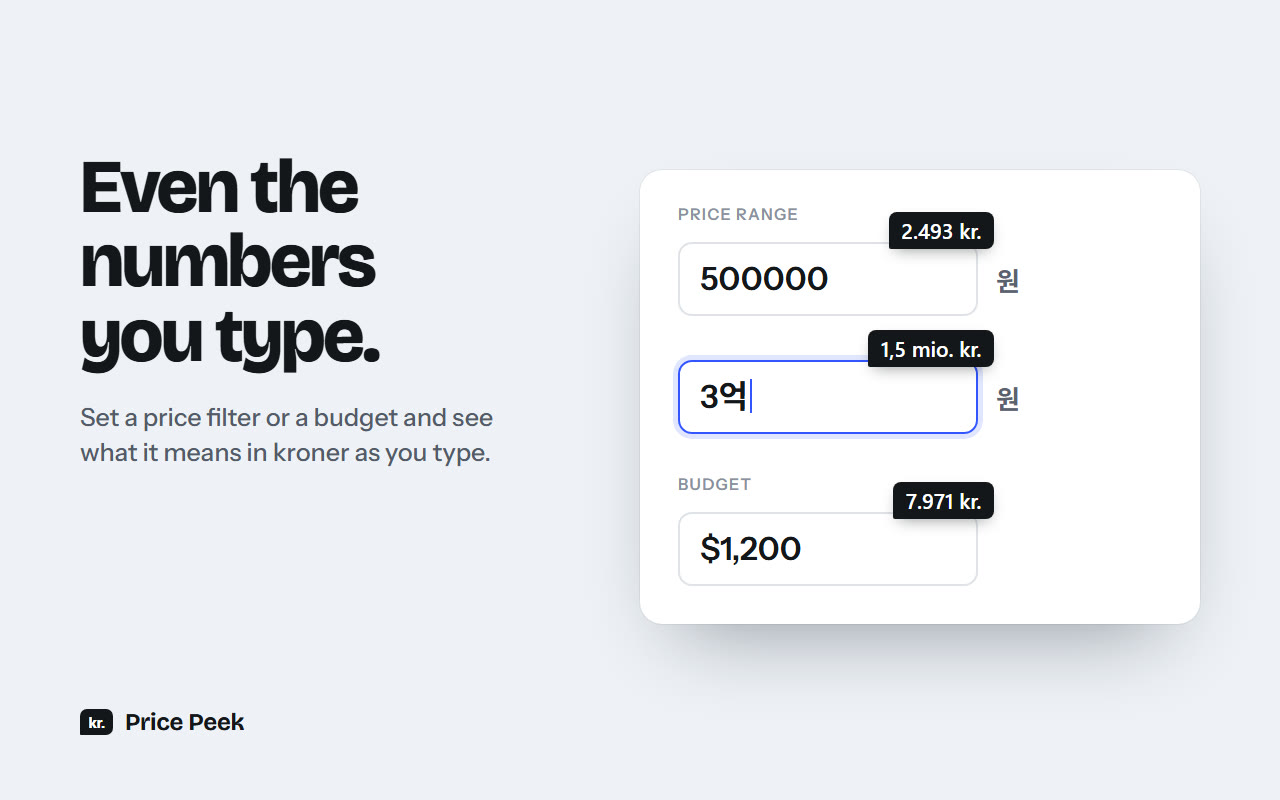
It also converts numbers typed into a price filter or a budget field. A bare number like 500000 takes the currency written around the field, like the 원 next to a Korean price filter, so I can see what a filter means in kroner while I type it. The popup picks the target currency, and shows the current rate and its date.
How it is built
Plain JavaScript with no framework and no build step. The most interesting part is the parser, which turns price text into amounts, including the Korean and Japanese number units and separators that could mean either thousands or decimals. It has its own test suite, which also works as the list of formats it supports.
The extension only reads the text on the page and draws the badges in a separate layer that clicks pass through. Korean shopping sites often split one price over several elements, so those are joined before parsing. I tested it on real sites like Coupang, Apple's regional stores, Homes.co.jp and Google, and fixed the problems I found there.
The look
Before building I compared a few design directions and went with the small dark badge. The logo, the store images and a 30 second promo video were made for the Chrome Web Store listing.